


Liquid damage can happen in a matter of seconds. Your phone can fall into water, a laptop can be on the receiving end of an unfortunate spill, or a USB stick can be left in a pocket that goes through the wash.
The problem is that liquid damage isn’t obvious right away. A device may seem like it’s dry, or even continue working for a short time, while moisture, minerals, sugar, salt, or sticky residue may remain inside. These contaminants can continue to affect your device’s ports, connectors, circuit boards, and storage components long after the outside has been wiped clean.
If your device has been exposed to liquid, stop using it, disconnect it from power, avoid charging it, and don’t keep testing to see whether it still works. Treat the incident as a data risk first and foremost — not just a cleaning problem.
What Liquid Damage Does Inside a Device
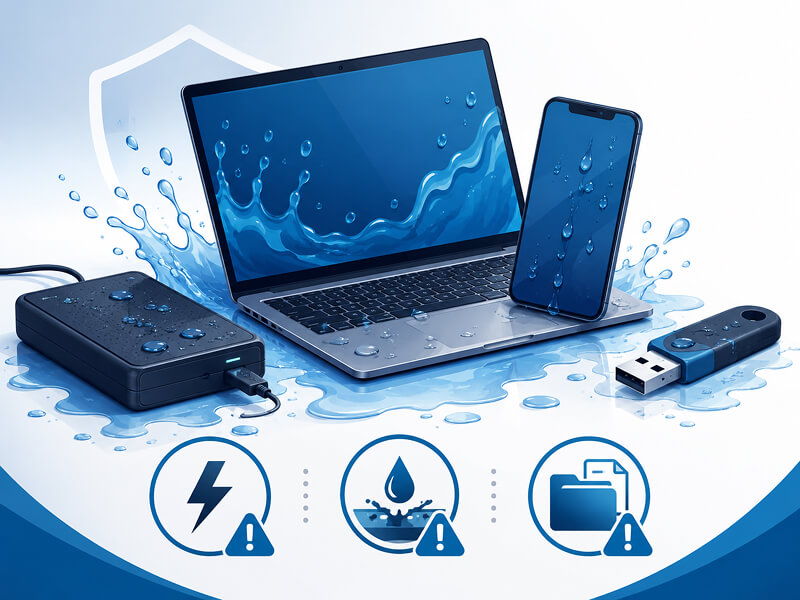
Liquid damage isn’t just about your device getting wet. The bigger issue is what happens inside it after the spill or liquid exposure.
A few things can happen very quickly:
- Short circuits can occur if power reaches wet internal components
- Corrosion can begin on circuit boards, ports, connectors, and storage media
- Residue from minerals, sugar, milk, or salt can remain even after the liquid dries
- Damage can worsen over time, sometimes taking hours or days to appear
This is why a device that still powers on isn’t necessarily safe to use. It may seem normal at first, but moisture or residue inside can continue to damage internal parts long after the outside seems dry.
Different device types also face different risks:
- A laptop may let liquid spread through the keyboard and onto the internal board or storage components
- A phone can trap moisture inside a sealed casing, where it’s harder to see and to dry safely
- A flash drive or memory card may look fine on the outside, while the contacts or internal storage have already been affected
- An external drive may suffer damage to its ports, enclosure electronics, or the drive itself
The main takeaway is that liquid damage can be immediate, hidden, and progressive. That’s why the safest step is to stop using the device, and don’t assume that all is well just because it still turns on.
Why Some Spills Are Worse than Others
Any liquid spill can damage a device, but some liquids are more harmful than others. The risk depends on what the liquid contains, how much of it got inside, and whether your device was powered on or charged afterwards.
Water
Water may seem harmless, but it can still cause short circuits and corrosion. Tap water in particular (depending on where in the country you live) can contain higher amounts of minerals like calcium and magnesium that can leave residue behind as the device dries up.
Tea and Coffee
Tea and coffee can be more damaging because they contain acids and minerals, and also potentially sugar, milk, cream, or flavourings. These can leave sticky or corrosive residue on keyboards, ports, connectors, and internal boards.
Hot Chocolate and Milky Drinks
Hot chocolate and other milk-based drinks can be especially messy. They can leave behind sugar, fat, and thick sticky residue inside the device, making cleanup and recovery more cumbersome.
Fizzy Drinks and Juice
Fizzy drinks and juice are particularly bad because they’re often both sugary and acidic. This combination can increase corrosion risk and interfere with charging ports, keyboards, connectors, and storage media.
Seawater
Seawater is one of the worst liquids for electronics. Salt is highly conductive and corrosive, so seawater can quickly damage circuit boards, connectors, and storage components — even after just a short exposure.
The liquid type does matter, but from your perspective, the practical response is always the same: power down the device, stop using it, avoid charging it, and get professional help if the data is important.
What to Do — And Avoid — After Liquid Damage
If your device has been exposed to water or another liquid, the first few things you do can make a big difference. Your goal is to minimise further damage, avoid spreading moisture or residue, and protect any data that may be recoverable.
What to Do Immediately
After the incident, follow these steps as soon as possible:
- Turn off your device if it’s still on
- Unplug any chargers, docks, cables, hubs, and accessories
- Carefully move the device away from the liquid or wet surface
- Blot visible liquid with a clean, lint-free cloth. Be careful not to wipe the liquid aggressively, as this can spread liquid into areas that weren’t initially affected.
- If it's safe, position your device in a way that liquid drains away from ports and openings
- Disconnect any removable storage media — but only if it’s easy and safe to do so
- Keep the device powered off
- Contact a data recovery specialist if the files are important and you can’t afford to lose them
Phones, laptops, USB sticks, external drives, and memory cards may all need to be handled slightly differently. Still, the safest first step is always the same: stop using the device and don't keep testing it.
What Not to Do
Here are a few common mistakes that can make the damage worse:
- Do not put the device in rice — this can often cause further issues
- Do not use a hair dryer, radiator, oven, or direct heat
- Do not shake the device aggressively in an attempt to dry it out
- Do not repeatedly press the power button
- Do not plug it in to see if it charges
- Do not run repair, formatting, or recovery software on damaged media
- Do not open the device unless you know what you’re doing and understand the risks involved
These actions can often worsen the problem. They can push liquid deeper into your device, trigger electrical damage, spread sticky or corrosive residue, or reduce your chances of a successful recovery. When your important data is at stake, it’s best to err on the side of caution.
Is Data Recovery Possible After Liquid Damage?
Data recovery may still be possible after liquid damage. This depends on several factors, including the device type, the liquid involved, and what happened after exposure. A phone dropped in water and an external hard drive exposed to flooding will require different methods.
The most important factor is often whether your device was powered on or charged while wet. Electricity moving through damp or contaminated components can cause short circuits and speed up corrosion. How long it was exposed to the liquid matters, too, as does whether the liquid reached the storage media itself.
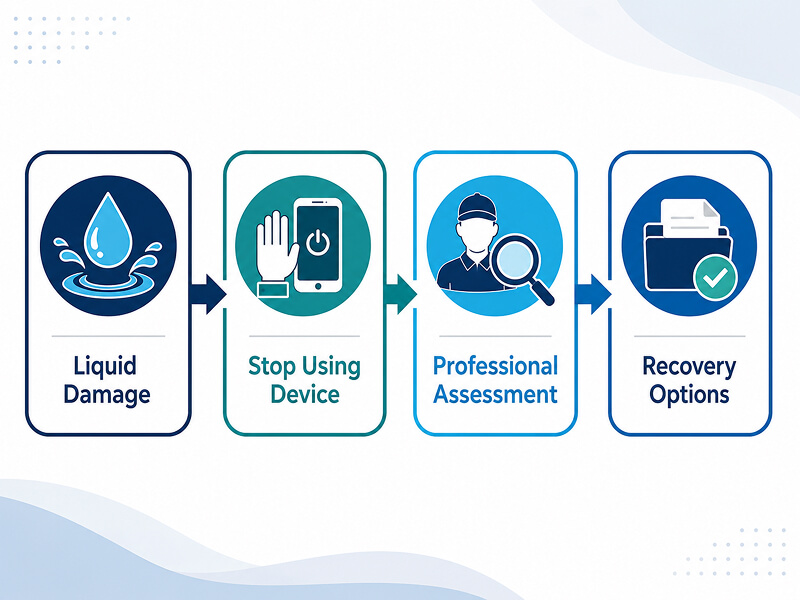
The type of storage makes a difference as well. Data stored on a USB stick, SSD, hard drive, memory card, phone, laptop, or external drive may be affected in different ways. Some devices use removable storage, while others rely on integrated storage components that make safe recovery a lot more complex.
It’s important that you avoid some of the common mistakes we outlined in the previous section, such as repeated testing, formatting, repair tools, or DIY disassembly. These can cause further damage and reduce the chances of successfully retrieving your data.
Remember: a device that won’t power on does not necessarily mean your data is gone. If the storage components are still intact, some or all of your files may be recoverable.
At Secure Data Recovery, we can inspect water damaged devices and storage media to determine the safest recovery options for your particular case before the damage worsens.
A Real Recovery Case from a Water Damaged USB Stick
Let’s take a look at a recent Secure Data Recovery case that shows us just how easily liquid damage can put your important files at risk.
A university student got in touch with us after her USB stick accidentally went through a washing machine cycle. The flash drive contained all her end-of-year university papers, and had been in the wash for around 30 minutes.
After the cycle finished, the flash drive wouldn’t work. Rather than repeatedly plugging it in, trying random fixes, or attempting to dry it out with heat or rice, the student got in touch with us and arranged for the device to be dropped off at our Liverpool location. Our specialists assessed the damaged drive and were able to recover all her data.
This case is a useful reminder that even small storage devices are vulnerable to serious liquid damage. Fortunately, in this case, the outcome was positive because the customer treated the situation with caution and contacted us promptly.
USB sticks, memory cards, and portable drives are easy to carry, but they’re also easy to forget in pockets, bags, and cases. When you have important data stored on removable media, repeated testing after liquid exposure can make the situation worse.
If a device has been through the wash or exposed to another liquid, stop using it and reach out to us before any further damage occurs.
Why Liquid Damage Is a Reminder to Back Up
The possibility of liquid damage is one of many reasons to keep current backups. A student can lose access to coursework, a family can lose years of photos, and a small business can lose financial records or project documents in a single accident.
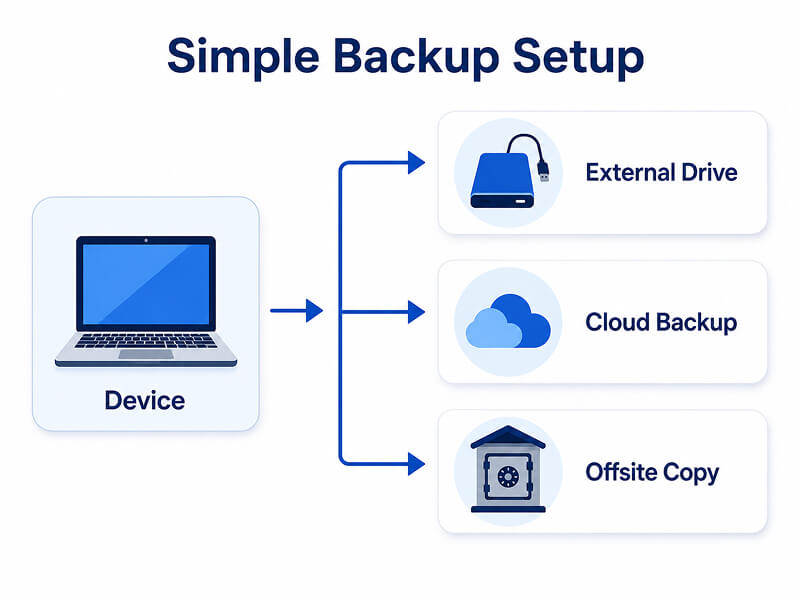
Here’s what a bulletproof backup plan should include:
- Cloud backup, an external drive, or both for extra protection
- A 3-2-1 backup approach where possible: three copies, two storage types, and one off-site copy
- Occasional tests of your backups to make sure they work
- A backup drive that is not permanently connected to the device
That last point matters. If your only backup drive is plugged into a laptop or desktop when liquid damage, a power issue, or another failure occurs, the backup drive could be affected too.
Backups can give you peace of mind and reduce your downtime and recovery costs. However, if one of your devices has sustained liquid damage and you’re not sure whether your backup is complete or up-to-date, stop using the device and seek professional advice before attempting repairs or further testing.
When to Contact Secure Data Recovery
If your liquid-damaged device contains irreplaceable data, professional help is always the safest option — especially if the device has already stopped working or behaves erratically. Contact us at Secure Data Recovery if any of the following apply to you:
- Your device won’t turn on
- Your files are missing, corrupted, or inaccessible
- A USB stick, SSD, hard drive, external drive, phone, laptop, or memory card was exposed to liquid
- The device was powered on or charged after liquid exposure
- The liquid contained tea, coffee, sugar, milk, hot chocolate, fizzy drink, or seawater
- The device shows signs of corrosion, residue, or repeated failure
- The data is irreplaceable and you don’t have a complete backup
We can help with water damaged device recovery across USB sticks, SSDs, HDDs, external drives, memory cards, laptops, phones, and other storage media. Our specialists can evaluate the damage, determine whether a cleanroom environment is needed, and identify your safest recovery route before further damage occurs.
Protect Your Device, but Prioritise Your Data
Liquid damage can continue after a device looks dry, especially when the liquid contains salt, sugar, milk, acids, or minerals. The safest option is to stop using the device, avoid charging it, skip risky DIY drying methods, and protect the data first.
If your laptop, phone, USB stick, external drive, memory card, or other device has been damaged by liquid, contact Secure Data Recovery. Our world-leading engineers can assess the device, explain your recovery options, and help recover your data where possible.
Prioritise your data - give us a call at 0800-102-6925 or start your case online today!


