


Hard drive failure tends to happen without warning and when we least expect it, but it also builds gradually over time. At first, you might notice small issues: slowing file access, missing folders, failed transfers, or a drive that occasionally refuses to mount. In more serious cases, the drive may make clicking or grinding noises, stop being recognised by your computer, or become completely inaccessible.
When the drive in question contains irreplaceable data, our priorities tend to shift. We’re no longer as concerned about making the drive usable again as we are recovering the data stored inside of it.
This is why hard drive repair should be handled carefully from the very beginning. Mechanical and physical failures can worsen rapidly, especially if the drive is repeatedly restarted, or opened outside of a controlled environment. One wrong step can reduce the chances of a successful recovery, making professional repair the safest option when your data matters.
Repairing the Drive vs. Recovering the Data
In the context of data recovery, “hard drive repair” doesn’t usually mean fixing the device to make it usable again long-term. Once a hard drive has sustained mechanical, electrical, or physical damage, it’s not something you want to put your trust in as a long-term storage device.
Instead, professional hard drive repair tends to be recovery-focused. The aim here is to stabilise the drive long enough to safely access the data, and then copy it to a healthy, reliable storage device.
Depending on the nature of your drive’s fault, this could involve diagnosing the exact failure, replacing damaged components, stabilising read/write heads or other internal parts, repairing firmware issues, or creating a sector-by-sector image of the drive. Engineers then work using this image wherever possible, minimising the stress placed on your original device.
Once your data has been recovered, the damaged drive typically needs to be replaced. The goal isn’t to keep using a drive that has proven to be unreliable; it is to retrieve the files before the failure becomes permanent.
Common Hard Drive Failures That Need Professional Help
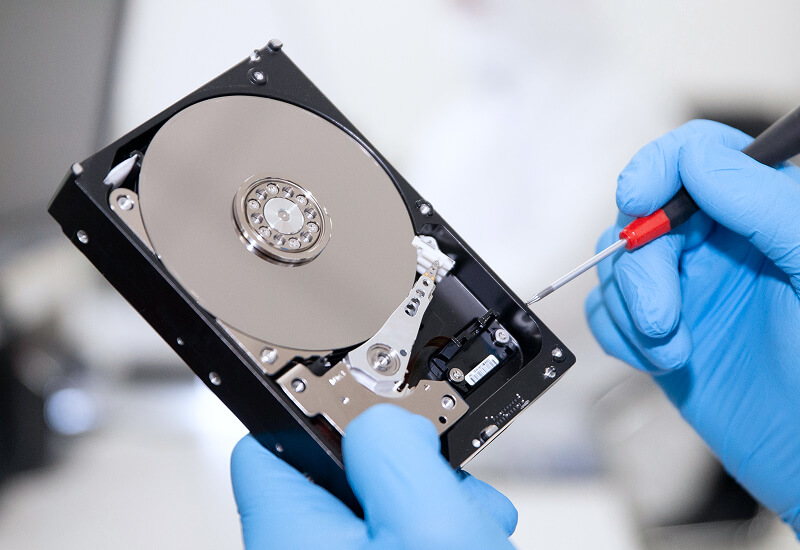
Sometimes, hard drive problems are caused by minor software issues. However, other cases could point to deeper physical, electrical, or firmware-related failures that require specialist tools, expertise, and controlled handling.
Firmware failures can sometimes be repaired by software tools — but it can also put your drive at increased risk of permanent data loss. The other three failure types we discussed, however, are all physical failures; as such, they can’t be repaired by software tools, and running them on a failing drive can make recovery harder, and in many cases, impossible.
Why DIY Hard Drive Repair Is Risky
Hard drives are sealed, carefully-built devices. Inside them, the read/write heads and platters work with extremely small error margins, so even the smallest speck of dust or a minor mishandling can cause serious damage. Opening a drive outside of a certified cleanroom environment can expose your drive’s platters to contamination, reducing the chance your data will be recoverable.
This is why common DIY fixes are risky. Tapping the drive, swapping circuit boards, or repeatedly restarting a failed device might seem low-risk, but it’s not; often, they can make the original fault even worse. Consumer recovery software can also be dangerous if your drive is physically unstable, because the scans they carry out put extra stress on failing components.
Here are a few common mistakes you should avoid:
- Opening the drive casing
- Running CHKDSK on a clicking or grinding drive
- Repeatedly powering the drive on and off
- Using unverified recovery software on a physically failing drive
- Swapping parts without matching firmware, donor compatibility, or calibration data
Ultimately, the bottom line is this: If your data matters or is irreplaceable, DIY hard drive repair simply isn’t worth the risk. Your best bet is to seek professional assistance instead.
What Professionals Do Differently
Professional hard drive repair typically operates around a central principle: diagnose first, act second. Before attempting any repairs, engineers identify the nature of the failure: whether it’s mechanical, electrical, firmware-related, or logical. This matters because each failure type requires a different approach, and a wrong first step can make recovery harder.
At Secure Data Recovery, damaged drives are handled using controlled procedures designed to prevent further harm.
1. Diagnosis first: Engineers assess the drive’s condition, listening for mechanical symptoms, checking detection behaviour, and identifying damaged components or firmware issues.
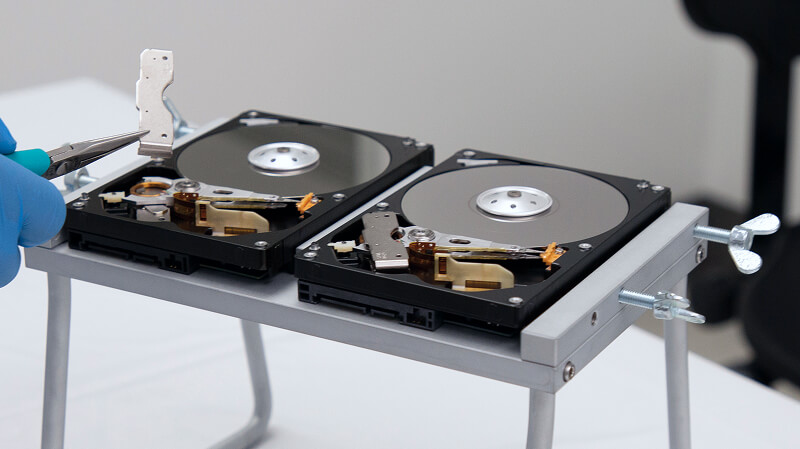
2. Controlled repair: If the drive has any physical damage, it may need to be opened up in a certified cleanroom environment. Specialist tools, donor parts, and component-level repair techniques are used to stabilise the drive safely before attempting to extract any data.
3. Sector-by-sector imaging: Rather than putting the failing drive under stress by repeatedly attempting to access files, engineers create a sector-by-sector image where possible. This minimises the risk to your original device, and preserves as much data as possible before recovery begins.
4. Recovery and verification: Once the drive has been stabilised and imaged, specialists reconstruct its file system, recover the data, and verify file integrity before retrieving your files.
Professional recovery also includes secure handling and strict confidentiality throughout the process. For failing hard drives, this combination of recovery expertise, cleanroom access, advanced diagnostics, and safe imaging is what maximises your data’s recovery chances.
When to Stop Using the Drive Immediately
Knowing when to stop is one of the most important things when it comes to protecting your data — it can mean the difference between recovering your data and losing it permanently. Here are a few symptoms that suggest your hard drive is no longer safe to use, and that continuing to use it can risk making recovery much harder:
- The drive clicks, grinds, buzzes, or beeps
- It is not recognised by your computer
- It appears and disappears intermittently
- It causes freezing or crashes when connected
- Files are missing, corrupted, or inaccessible
- The drive was dropped, exposed to liquid, or damaged by a power surge
- The data is business-critical, personal, or irreplaceable
Why Professional Repair Matters for Businesses
From a business perspective, hardware failure is rarely just a technical inconvenience. A failed drive can mean losing access to customer records, financial documents, legal files, creative work, project files, or day-to-day operational data. Even a short period of downtime can disrupt workflows, which can have a knock-on effect on client delivery — and it can create unnecessary, and often avoidable, stress for teams that rely on stored data.
Professional hard drive repair helps reduce this risk by prioritising safe recovery and continuity. Instead of repeatedly attempting DIY fixes, businesses can have the drive examined, stabilised, and imaged by specialists who understand how best to protect data during the recovery process.
Handling the drive securely is also essential. Many organisations store confidential or GDPR-compliant information, so the recovery process must be managed with care from the very beginning.
Secure Data Recovery supports customers in the UK across a wide range of sectors, including small businesses, professional users, creative teams, and organisations that depend on reliable access to their data.
Choose the Safest Path for Your Data
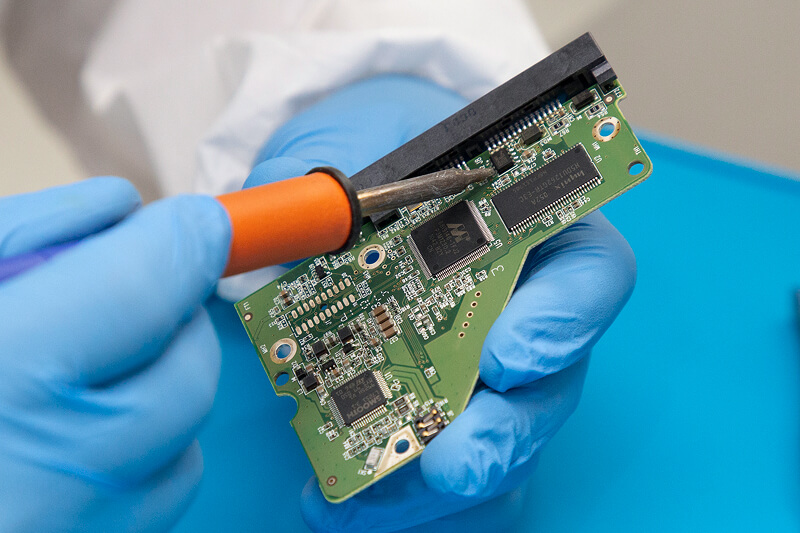
Hard drive repair is specialised work, and the safest approach depends on the type of failure you’re dealing with.
At Secure Data Recovery, we handle hard drive recovery from mechanical, physical, and logical faults, including cases involving clicking drives, damaged components, unreadable media, and file system corruption.
Our engineers use advanced diagnostics in order to fully understand the nature of your drive’s failure before taking any action. When physical repairs are needed, we handle these cases in our certified Class 10 ISO 4 cleanrooms. This ensures that the risk to your drive’s delicate internal components are kept to a minimum. We also use specialist tools, secure processes, and proven recovery methods to stabilise damaged drives and recover your data safely.
How Secure Data Recovery Can Help
At Secure Data Recovery, we’ve maintained a 96% recovery success rate over nearly two decades — a figure that’s unparalleled across the data recovery industry. Along with our expert support, and our signature No Data, No Recovery Fee guarantee, we give our customers confidence when the situation feels uncertain. We also offer a free diagnostic evaluation and quote, so you can fully understand your options before moving forward.
If your hard drive has failed, avoid DIY repairs and take the safer route — don’t take any chances when your important data is at stake.
Give us a call at 0800-102-6925, or start your case online today. When your hard drive is struggling to keep up, the goal isn’t just to repair it; it’s to recover what matters most.


